Case Study
Vignanam
A multilingual spiritual and educational platform built for large content libraries, offline access, and smooth media experiences.
Industry
Spiritual & Educational Platform
Role
Senior Mobile App Developer
Platform
Android & iOS
Status
Production · Production
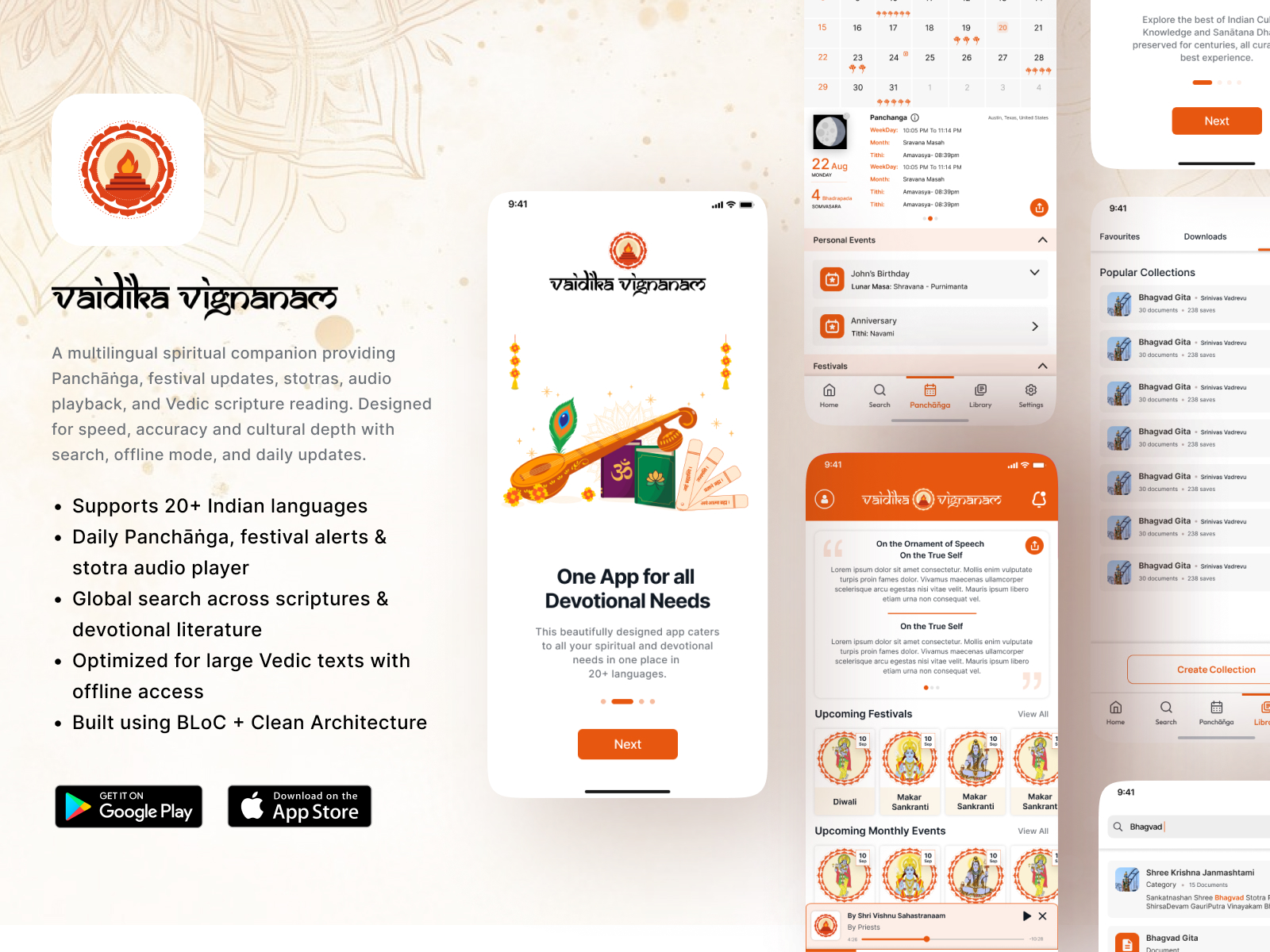
Project Overview
Vignanam is a digital platform designed to make spiritual knowledge, scriptures, devotional content, and educational resources easily accessible to users through a modern mobile experience. The application serves as a centralized platform where users can explore religious content, read articles, watch videos, listen to audio, and stay connected with daily spiritual updates.
Product Vision
The goal of Vignanam was to bridge traditional spiritual knowledge with modern technology. Instead of relying on multiple websites, books, and media platforms, users can access a complete collection of devotional and educational content from a single application.
Responsibilities
- Developing scalable Flutter modules
- Improving the existing application architecture
- Integrating REST APIs
- Building reusable UI components
- Optimizing media loading
- Improving application performance
- Enhancing reading experience
- Maintaining code quality
Key Features
Digital Library
Users can browse a large collection of spiritual articles, scriptures, and educational resources organized into categories.
Audio & Video Content
The application supports multimedia content, allowing users to watch videos and listen to devotional audio directly inside the app.
Offline Bookmarks
Users can save their favorite articles and revisit them later for continued reading.
Content-Driven Architecture
- Clean Architecture
- Repository Pattern
- BLoC State Management
- Dependency Injection
- Reusable UI Components
Engineering Challenges
Large Content Rendering
Displaying long-form articles while maintaining smooth scrolling required careful optimization focused on efficient widget composition and reducing unnecessary rebuilds.
Media Integration
Combining text, images, audio, and video consistently while maintaining performance required reusable media components and optimized loading strategies.
Offline Experience
Frequently accessed content and user preferences were cached locally to improve loading speed and reduce repeated network requests.
Optimizations
UX Focus
- Comfortable typography
- Clear content hierarchy
- Smooth page transitions
- Responsive layouts
- Fast navigation
- Consistent design language
- Media playback integrated naturally
Tech Stack
Mobile
State Management
Architecture
Networking
Local Storage
Business Impact
- ✓Application performance
- ✓Code maintainability
- ✓User experience
- ✓Content accessibility
- ✓Development scalability
- ✓Overall application stability
Lessons Learned
- Designing for long-form content consumption
- Building reusable content-driven UI components
- Optimizing media-heavy applications
- Creating scalable architectures for growing content libraries
- Balancing simplicity with functionality
Key Takeaway
Great applications are not always measured by complexity—they are measured by how naturally they help users achieve their goals. The project reinforced the value of thoughtful architecture and user-centered design.